

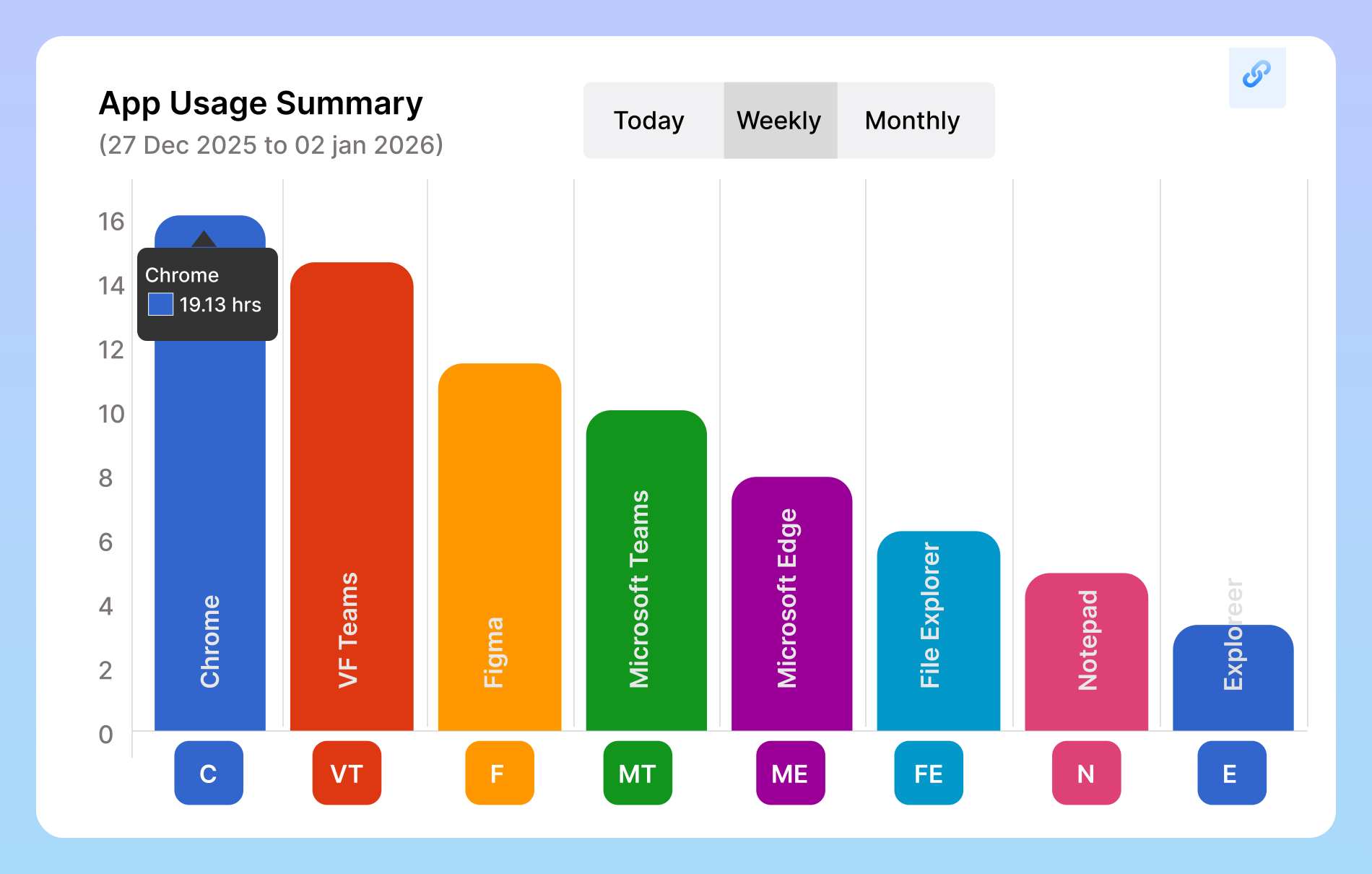
Vineforce Teams keeps track of the applications and websites your employees use during work hours, helping you understand how time is actually spent. By clearly identifying productive and non-productive activities, it gives you an honest and easy to understand view of daily work patterns. These insights help you guide your team better, reduce distractions.
Manage IT Teams Smarter
With Vineforce Teams, IT teams gain a complete solution to manage projects and resources efficiently. The platform allows managers to monitor project progress in real time, assign tasks seamlessly, and track team activity without constant supervision. Whether your team is working in office, remotely, or in a hybrid setup, Vineforce Teams ensures smooth collaboration, clear communication, and accountability across all team members.
Start Your Free Trial
Enjoy a 07-day free trial with no credit card required.
By creating an account, you accept our Terms and Privacy Policy.







Solutions for Common Issues in the IT and Software Industry
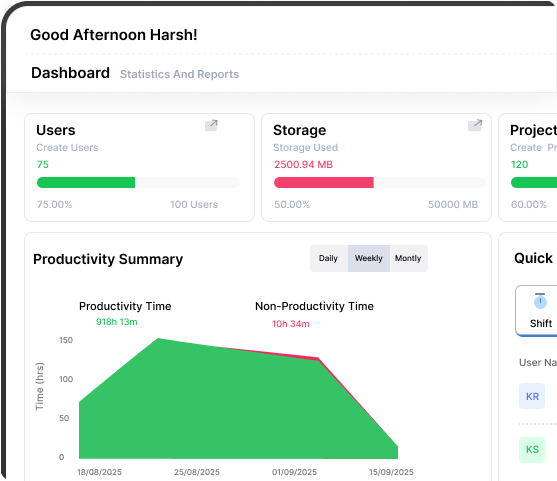
Vineforce Teams helps IT teams measure the efficiency of their training and onboarding processes. By tracking how long new employees take to become fully productive.
App & URL Tracking
Offline Work Tracking
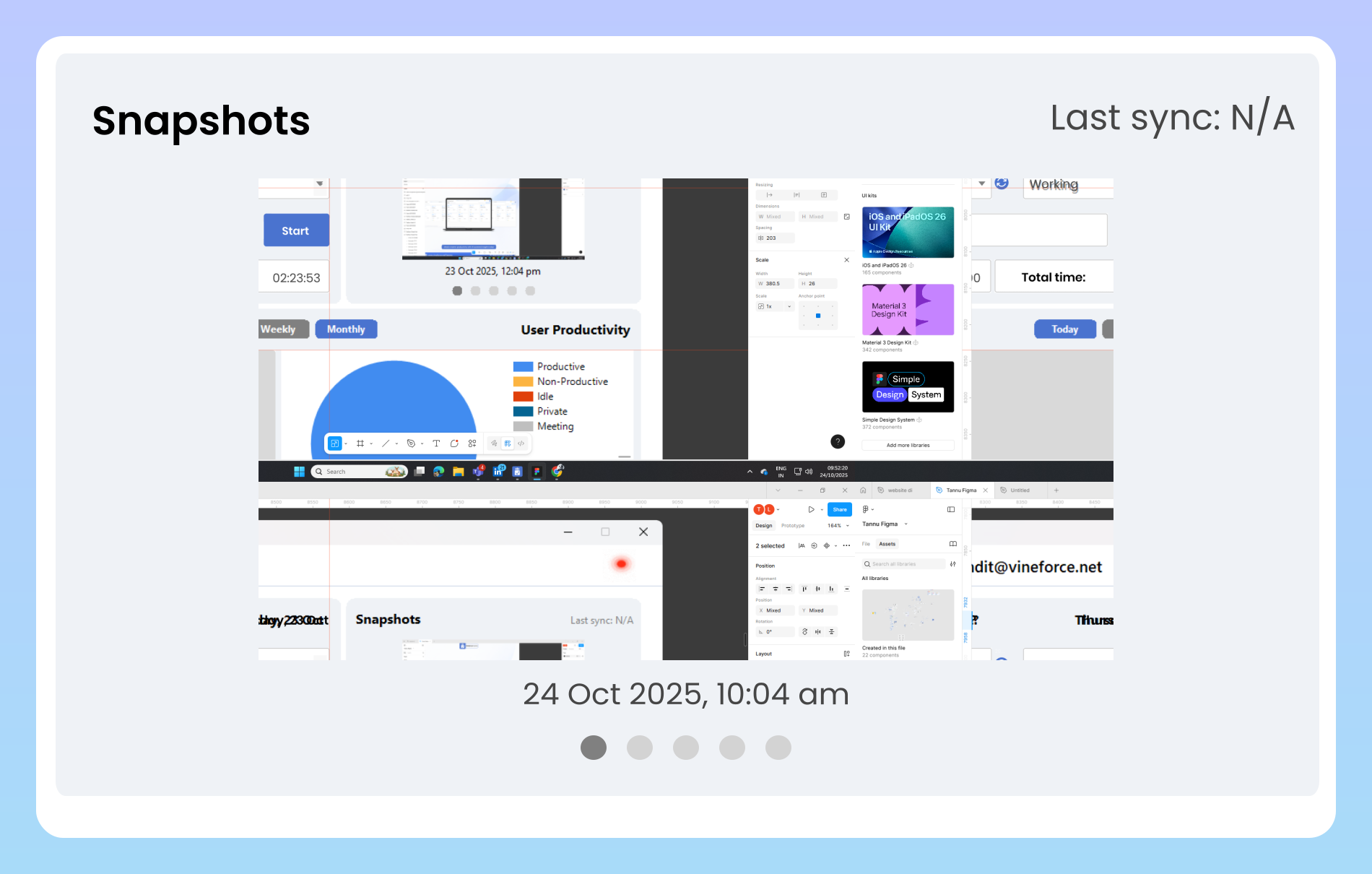
Vineforce Teams captures all offline activities and automatically syncs them as soon as employees reconnect to the internet. This ensures no work is missed or left unrecorded, even during connectivity issues. With complete and accurate data, you get reliable productivity reports that truly reflect your team’s efforts anytime, anywhere.
Enhanced Productivity
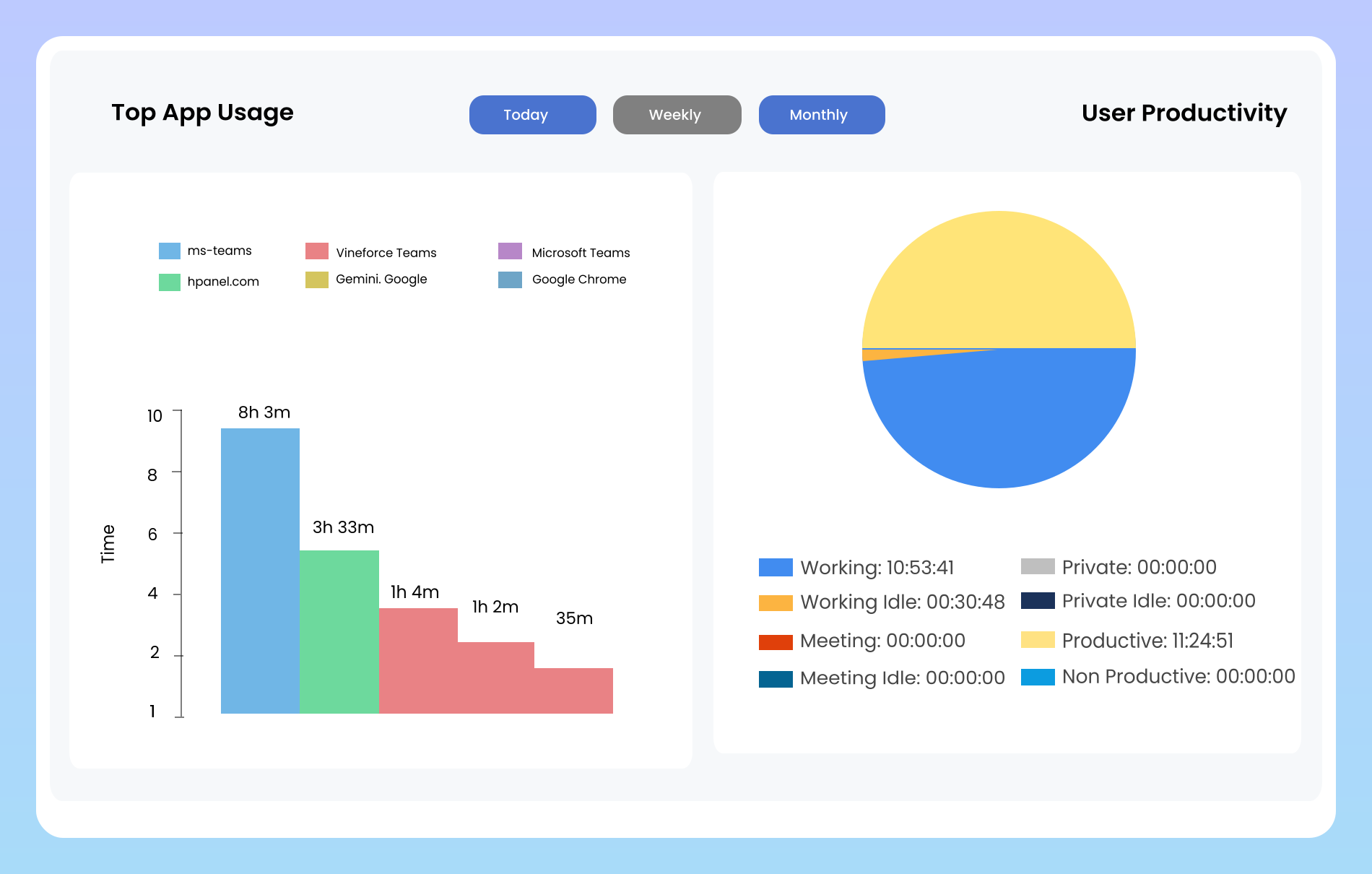
Vineforce Teams helps IT teams stay focused on high priority tasks by automatically tracking work activity and monitoring application usage in real time. By clearly identifying productive time versus idle or distracting activities, teams gain actionable insights into how work hours are spent.
What you can do with Vineforce Teams
Vineforce Teams helps IT teams measure the efficiency of their training and onboarding processes. By tracking how long new employees take to become fully productive, managers can identify gaps in training .

Real Time Task
Vineforce Teams provides a centralized, easy to use dashboard that gives full visibility into tasks, deadlines, and real time project status, helping teams stay aligned and on track

Productivity Insights
Provides detailed reports that compare planned work with actual time spent, helping teams identify gaps, improve accuracy, and stay on track.

Activity Tracking
Tracks all tasks, applications, and projects automatically, giving managers a clear and complete view of overall productivity
Frequently Asked Questions
How can Vineforce Teams help improve productivity in IT teams?
Vineforce Teams automatically tracks all employees’ work activities in real time, providing a complete view of your team’s performance. It takes periodic screenshots to ensure transparency, records productive and non productive hours, and monitors which applications or websites your team members are using.
Is the software suitable for small agencies as well?
Yes, absolutely! Vineforce Teams is designed to support agencies of all sizes from small teams to large organizations. Small agencies can take advantage of automated time tracking, activity monitoring, and shift reports without complicated setup. This helps you efficiently manage projects, maintain transparency, and increase productivity, even with a small team.
Will this improve accountability in my team?
Yes, absolutely. Vineforce Teams promotes a culture of accountability by automatically tracking work activities, task progress, and app usage. Employees become more aware of their time usage, while managers receive real time insights into team performance. With detailed shift reports and productivity information, it’s easy to identify top performers, support struggling team members, and ensure everyone stays focused on their goals.
How does the AI track productivity?
Our AI doesn’t just watch the clock. It analyzes activity patterns based on computer, app, and URL usage. It then categorizes this activity as productive, unproductive, or neutral based on settings you control. This gives you a true measure of focus and effort, not just hours logged.
Ready to streamline your entire workflow?
Vineforce Teams makes it simple to monitor employee productivity with automated time tracking, smart idle detection, and detailed reporting. Build the perfect system to manage projects, ensure accountability, and get insights into your team’s workflow, all in one place.
