

The AI employee performance tracking tool is an efficient digital setup for your company that helps monitor project health. It involves real-time data tracking, which makes it more efficient than others. A proper AI tool helps generate quick, analytical reports. It further helps employees and managers to have a clear view of how a setup works and the improvement areas
AI- Powered Reports
Turn raw data into actionable insights with the power of AI. Instantly generate detailed reports that highlight productivity patterns, top-performing tools, and weekly progress. No manual effort needed just clear, intelligent.
Start Your Free Trial
Enjoy a 07-day free trial with no credit card required.
By creating an account, you accept our Terms and Privacy Policy.







Elevate Team Performance
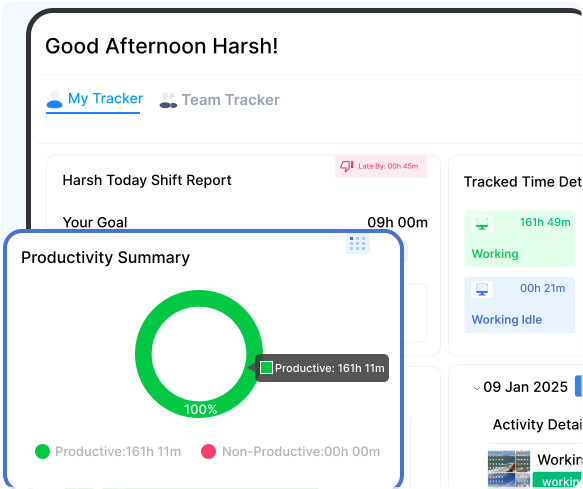
The AI-Powered feature is a smart tool that helps you plan efficiently, optimize workloads, and maintain balanced productivity across all teams.
Turn Data into Decisions with AI
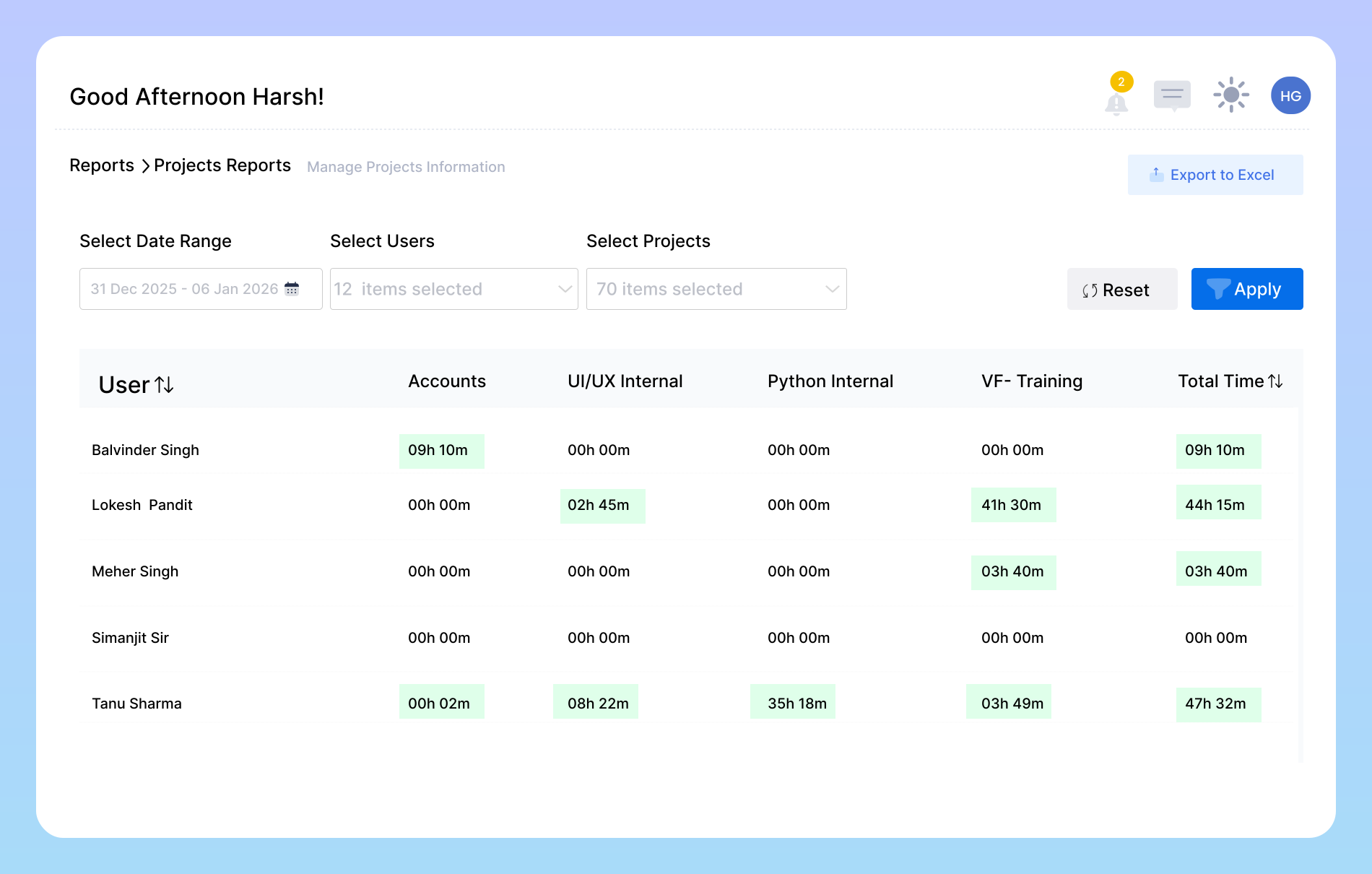
Gain Clarity with AI Reports
Our AI-powered tool helps managers plan tasks and projects more efficiently by analyzing workload distribution and team capacity.
Team Productivity Across Every Shift.
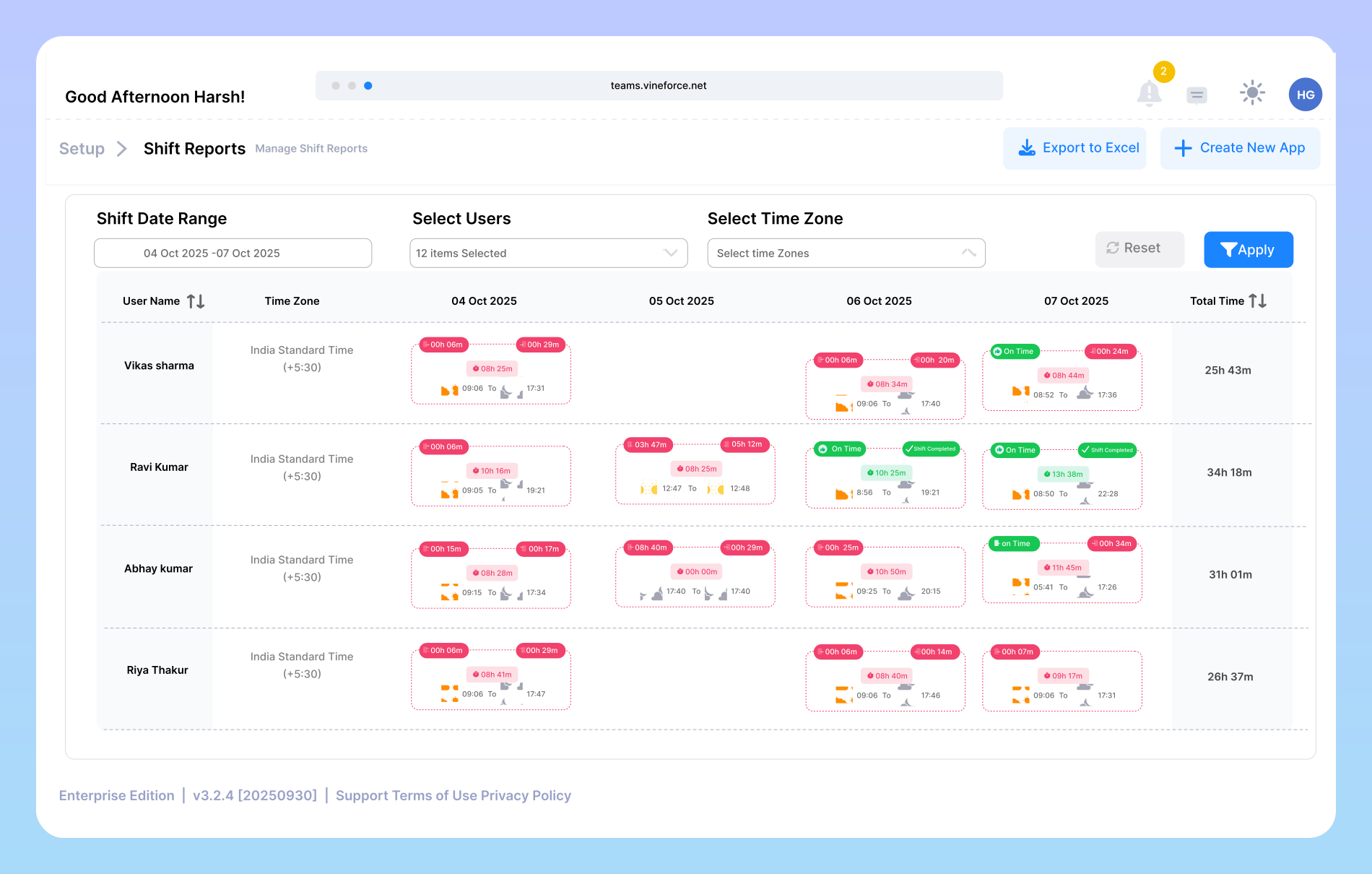
AI-Powered Shift Reports give managers a clear view of how each shift impacts overall performance. The system automatically tracks working hours, activity levels, and time utilization across day, evening, and night shifts. With AI insights, you can identify the most productive shifts, detect workload imbalances, and make data-driven scheduling decisions to ensure consistent efficiency and balanced team performance.
Individual Performance Insights
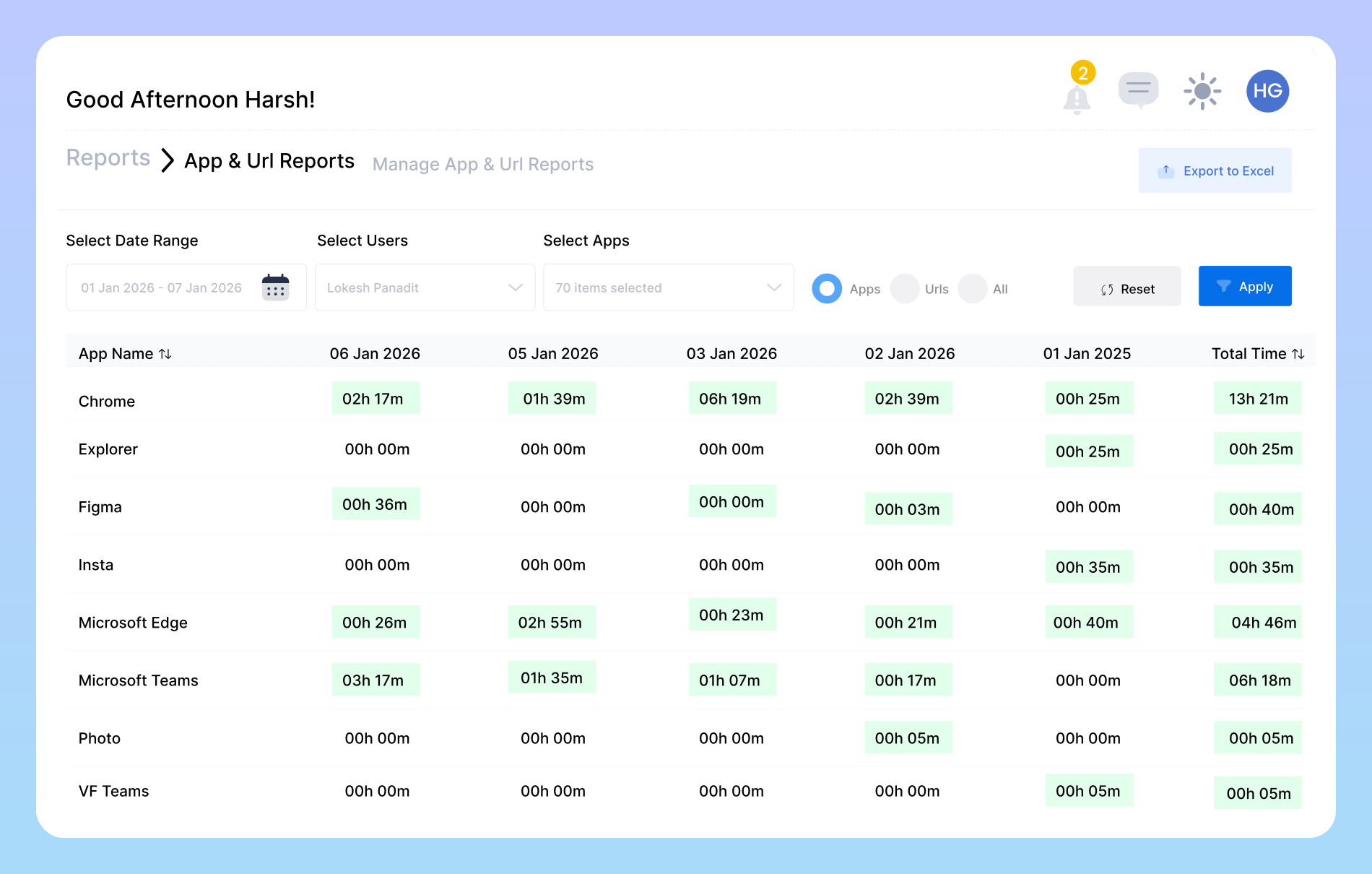
AI-Powered App Reports reveal how different tools and applications affect team productivity. The system automatically tracks app usage and categorizes each as productive or unproductive based on work relevance. These insights help managers understand software usage trends, identify distractions, and ensure the team focuses on the right tools that drive performance and efficiency. efficiently manage your labor costs.
AI That Understands How Your Team Works Best
AI-Powered time tracking and productivity reports give you a clear view of how work is getting done.

Faster Insights
AI automatically analyzes data and generates reports in minutes, saving time compared to manual reporting.

Accurate Insights
It significantly minimizes human errors and provides precise, actionable insights based on real-time data.

Smart Recommendations
Reports don’t just show numbers; AI highlights trends, patterns, and suggests next steps for better decision-making.
Frequently Asked Questions
How does the AI track productivity?
Our AI doesn’t just watch the clock. It analyzes activity patterns based on computer, app, and URL usage. It then categorizes this activity as productive, unproductive, or neutral based on settings you control. This gives you a true measure of focus and effort, not just hours logged.
Is this just another employee spying tool?
Not at all. We believe in transparency. The goal is to understand workflows, identify bottlenecks, and ensure workloads are balancedm not to micromanage. Employees can see their own data, helping them manage their time better. It’s a tool for mutual improvement, not just oversight.
Can I customize reports for different teams or projects?
Yes, absolutely. You can filter data and generate specific reports for different departments (e.g., Sales, Marketing) or individual projects. This allows you to get the specific insights you need without any clutter, making it perfect for targeted performance reviews and planning.
How quickly can we see useful insights?
You’ll start seeing basic productivity data within the first day. The AI begins identifying deeper trends and patterns after about a week of data collection. The longer you use it, the smarter and more predictive the insights become.
Is the data collected secure, and who has access to it?
Ready to streamline your entire workflow?
Vineforce Teams makes it simple to monitor employee productivity with automated time tracking, smart idle detection, and detailed reporting. Build the perfect system to manage projects, ensure accountability, and get insights into your team’s workflow, all in one place.
