All‑in‑One Time‑Tracking & Productivity Suite
Best Offline Time Tracking Software for Remote Teams
Smart Idle Detection & Detailed Reports
Track employee work hours, see exactly how time is spent across apps and projects, and spot idle time automatically. Works offline, runs quietly in the background, and supports Windows, macOS, and Linux.
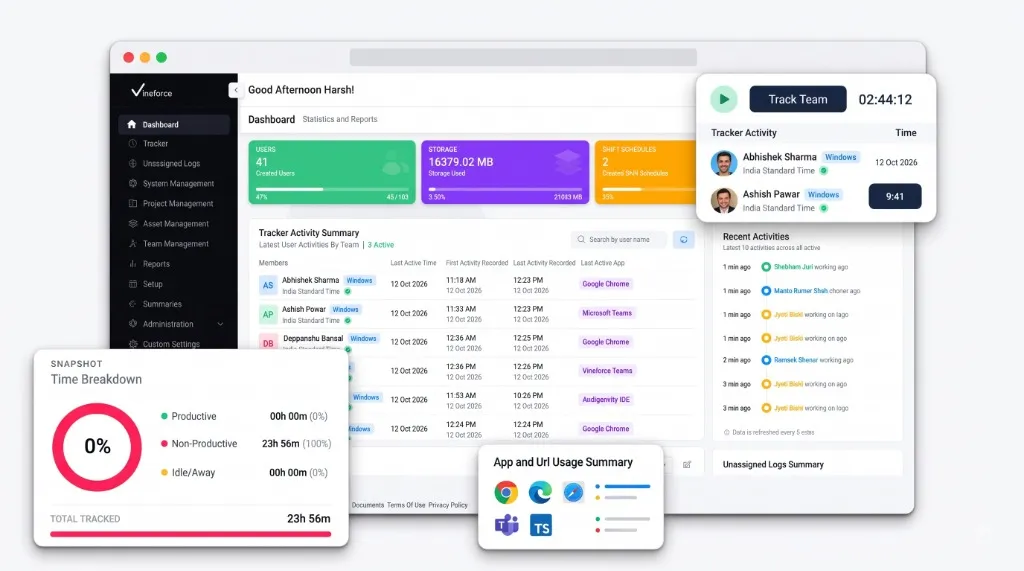
Track Work Hours
App & URL Insights
Boost Productivity
0k+
Hours Tracked
0+
Apps & URLs
0k+
Screenshots
0+
AI Reviews
0+
Projects & Teams
Offline Time Tracking
No need to worry when you lose connection our smart tracker continues monitoring your activity even when you’re offline. Every minute of your work is automatically recorded, and once you reconnect, all data syncs seamlessly. It intelligent offline tracking ensures every moment is captured, even with unstable internet.


Offline Time Tracking
No need to worry when you lose connection our smart tracker continues monitoring your activity even when you’re offline. Every minute of your work is automatically recorded, and once you reconnect, all data syncs seamlessly. It intelligent offline tracking ensures every moment is captured, even with unstable internet.
Seamlessly records work when internet is unreliable so no billable time is ever lost.


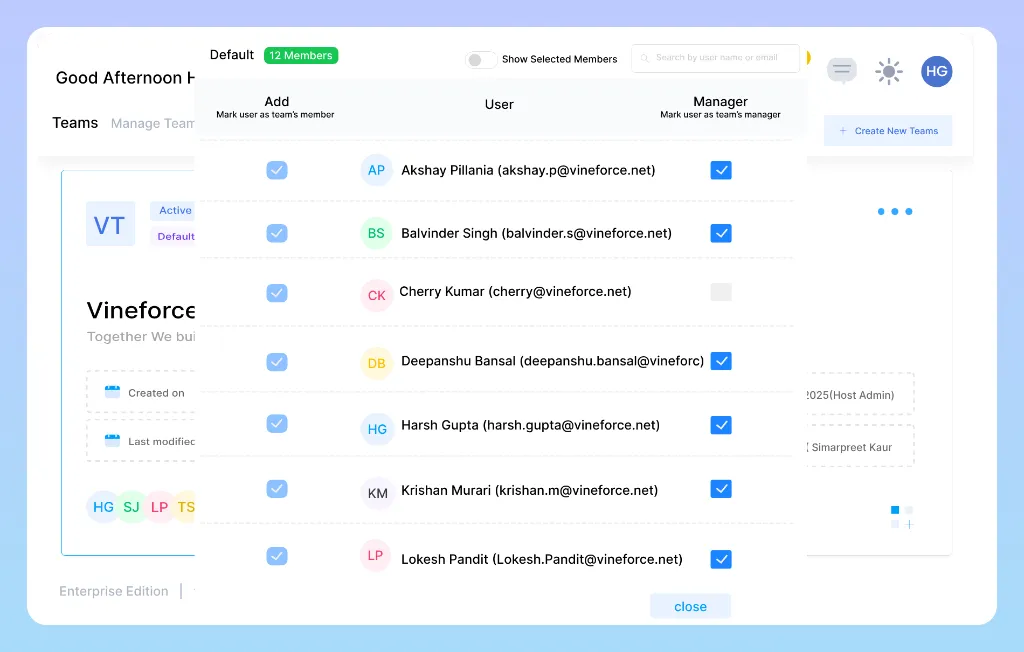
WORKPLACE & PROJECT TRACKING
See Your Team's Productivity Clearly
Gain real-time visibility into your team's workplace activities. Eliminate guesswork, balance workloads, and drive better performance with verifiable proof.
Quality reports & analytics
Project & task allocation
Productivity metrics & trends
Zero-click silent tracking
Export in multiple formats
App & URL usage details
Trusted by teams worldwide
See what customers say about Vineforce Teams on leading review platforms



Get started today!
Seamless Integrations
With Your Existing Tools
Vineforce Teams fits naturally into your workflow. Connect with your daily tools to keep tracking consistent and insights reliable without disrupting how your team works.


01.
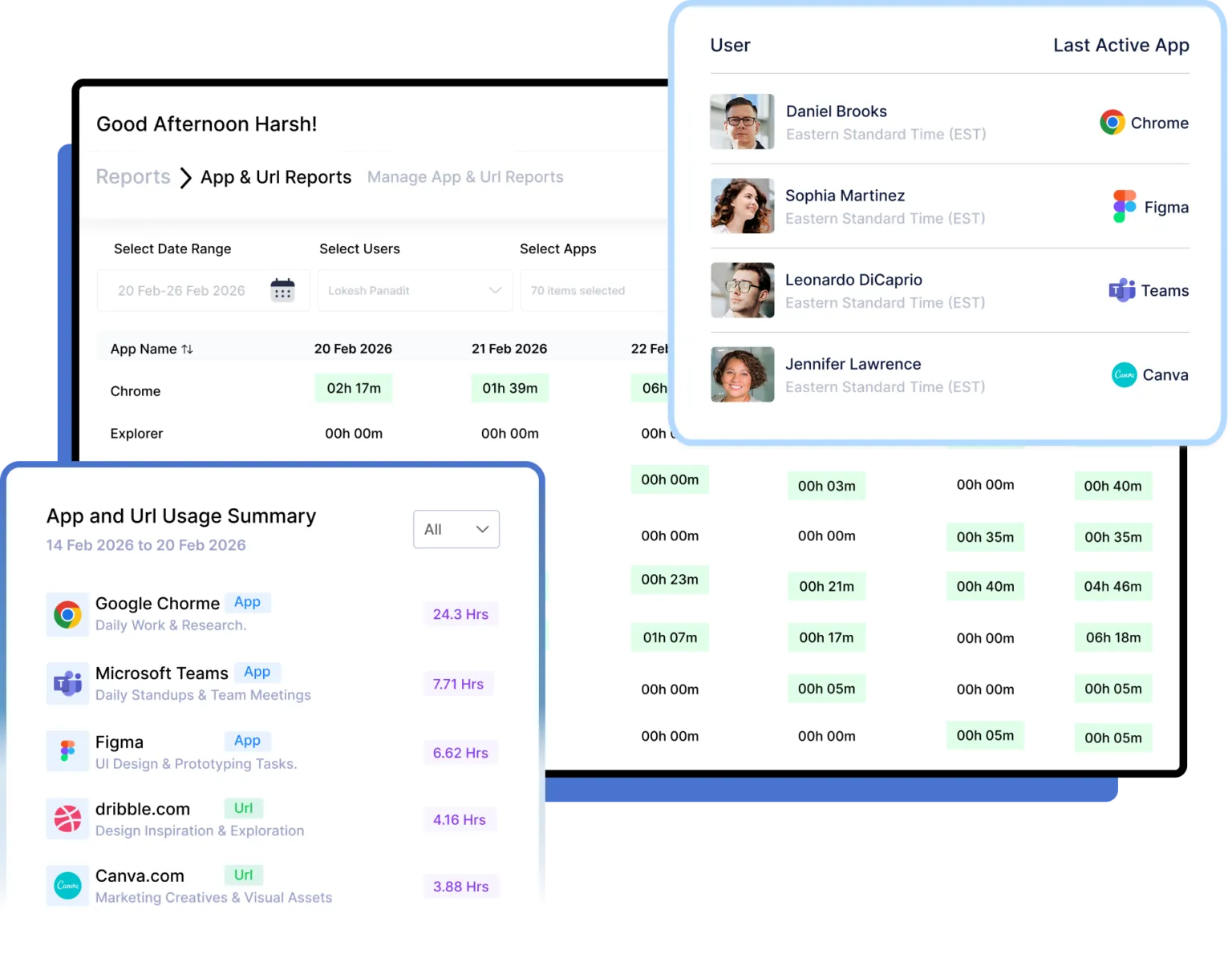
Understand How Your Team Spends Time
Understanding productivity starts with visibility. Without app-level insights, managers are left relying on assumptions instead of data. Our platform gives you a complete breakdown of how your team spends time across applications like Chrome, Teams, Figma, and more.
- Clear Visibility Into Work Patterns
- Improved Productivity & Focus
- Smarter Decisions With Real Data
02.
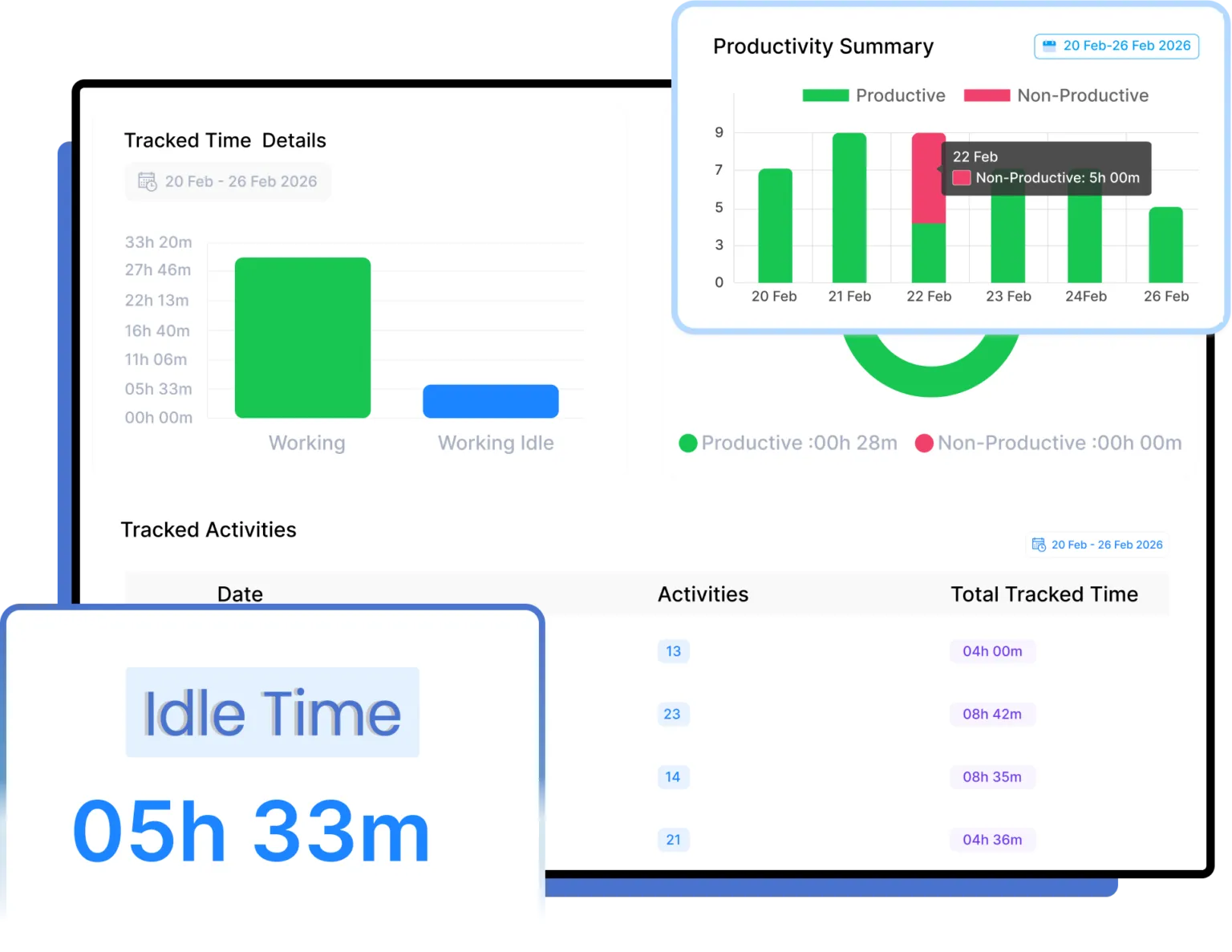
Measure Productivity with Smart Time Tracking
Separate productive work from non-productive hours with detailed activity tracking. See where time adds value and where improvements are needed, helping managers optimize schedules, balance workloads, and support better work habits.
- Clear view of productive and non-productive work hours.
- Spot distractions and idle time to help teams stay focused.
- Optimize schedules and improve team performance.
03.
Accurate Shifts. Reliable Workforce Data.
Take full control of your workforce with smart Shift Tracking & Management. Instantly create and assign shifts, track attendance with precision, and remove scheduling guesswork. Ensure every team member stays aligned, punctual, and productive all from one centralized dashboard.
- Track employee shifts in real time with start, break, and end times.
- Shift compliance by reducing late logins, early logouts, and time gaps.
- Use shift data to optimize schedules, balance workloads.

Testimonials
Teams love our employee time tracking software
Vineforce Teams helped us understand how work hours are actually spent across projects. Time tracking is accurate, reporting is simple, and our team productivity has improved noticeably.
MZ
Mark Zellers
What stands out about Vineforce Teams is how it improves accountability without creating pressure. Managers gain useful insights while employees continue working comfortably and efficiently every day.
NL
Natalia Larsson
As a remote organization, tracking productivity was always difficult. Vineforce Teams brought visibility, better collaboration, and structured workforce management without affecting team trust or communication.
SE
Sarah Edrissi
Vineforce Teams replaced manual reporting processes with real-time workforce analytics. Our leadership team now makes faster operational decisions using accurate productivity and attendance insights.
DB
Daniel Brooks
Offline tracking works perfectly for our field workforce operations. Vineforce Teams ensures work data syncs automatically later, preventing time loss even when employees operate without stable internet.
AY
Anna Yon
The activity insights provided by Vineforce Teams helped our staff stay focused and organized. It supports performance improvement while maintaining a healthy and positive work environment.
EC
Ethan Carter
Ready to Take Control of Your Team’s Productivity?
Track work hours, monitor productivity, and make smarter decisions with Vineforce Teams.
Frequently asked questions!
Vineforce Teams is a time tracking and productivity monitoring tool for teams and managers. It tracks work hours automatically in the background, shows how time is spent across apps and projects, and generates AI-powered reports so managers have real numbers to work with, not guesses.
Very easy. Most teams are up and running within a few minutes. The onboarding process walks you through the setup step by step, and there is no complicated configuration needed to get started.
Yes. The desktop app keeps tracking even when your internet goes down. Once the connection comes back, all recorded activity syncs automatically. No hours are missed and nothing needs to be entered manually.
Yes. Managers get a breakdown of each employee, including time on apps and websites, active vs idle periods, and project-level work time. The AI-powered reports highlight patterns worth acting on so you are not digging through raw data yourself.
Vineforce Teams shows each employee exactly where their time went during the day. When people can see how much time went to unproductive apps or browsing, most of them adjust on their own. Smart Idle Detection also removes gaps where the computer was idle but the clock was still running.
Zero-click tracking means the software records work automatically, with no need to press start or stop. Vineforce Teams runs in the background through its Silent Tracking and Zero-Click Mode, so employees never have to remember to log their hours.
Yes. The desktop app works on Windows, macOS, and Linux. If your team uses a mix of operating systems, that is not a problem. Everything is managed from one dashboard regardless of which platform each person is on.
Yes, particularly if offline tracking or a private mode matters to your team. Vineforce Teams tracks work even without internet, runs quietly in the background, and gives employees a private mode to pause monitoring when needed. These are specific gaps where many Hubstaff users look for something different.
