

Vineforce Teams is built for teams who want results, not just records. Unlike DeskTime, which mainly focuses on tracking hours and activity, Vineforce Teams combines time tracking with task visibility, performance insights, and team productivity tools. It helps you see not just how long work takes, but what’s getting done all from one simple, unified platform.
Better than DeskTime
While DeskTime focuses mainly on logging hours, Vineforce Teams delivers deep productivity insights, smart reports, and real-time visibility into team performance. It helps managers make informed decisions without micromanaging employees or invading privacy. With flexible tracking, advanced analytics, and a team first approach.
Start Your Free Trial
Enjoy a 07-day free trial with no credit card required.
By creating an account, you accept our Terms and Privacy Policy.







The All-in-One Advantage
Why settle for a tool that only watches you work when you can have one that helps you finish it.
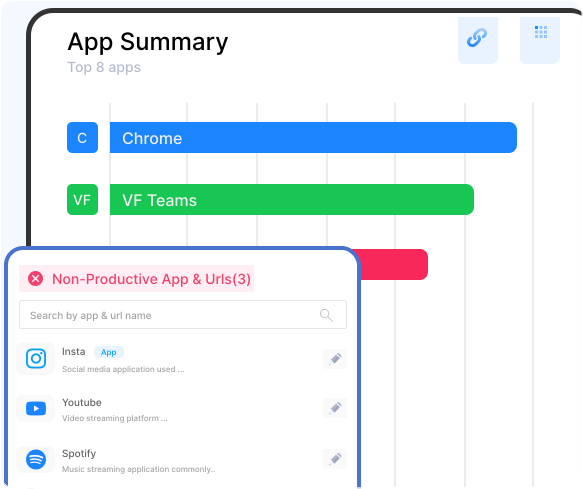
Where Time Tracking Meets Productivity
The Traditional Way
Most traditional tracking tools are designed to observe work, not support it. They collect activity data but offer limited context about real progress, collaboration, or outcomes.
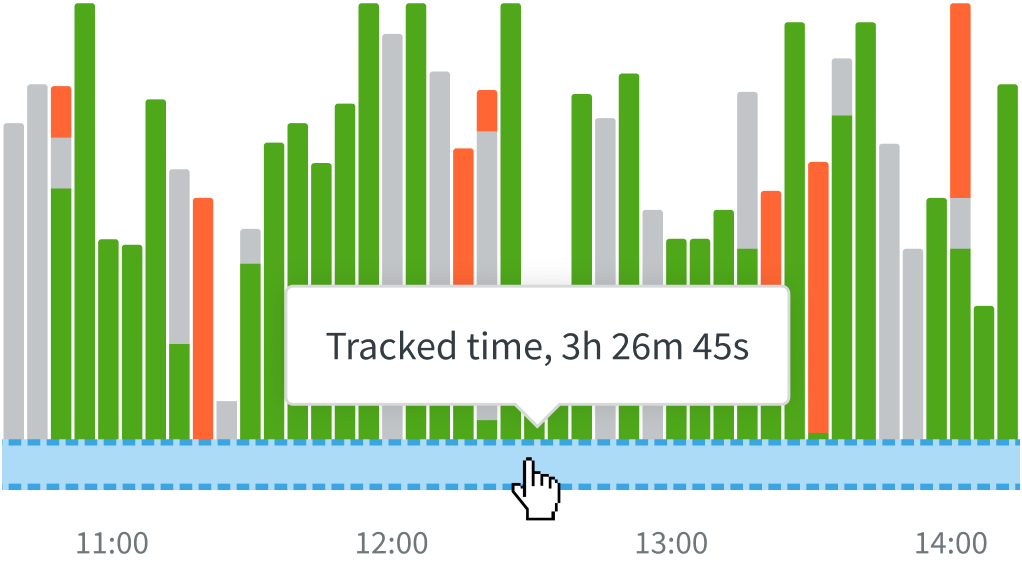
Seeing Hours, Missing Progress
Tools like DeskTime are mainly focused on automatic time and activity tracking. They show when work starts and stops and how much time is spent on apps or tasks, but their core strength remains monitoring rather than managing work. Because task planning, workflow management, and deadline-driven progress tracking are limited, managers often get time data but not a clear picture of overall productivity or outcomes.
What's the Main Difference?
See how Vineforce Teams stacks up against generic tracking alternatives.

Vineforce goes beyond simple time tracking to give leaders a detailed view of how work actually happens.
- Fully automatic time tracking no start/stop needed.
- Smart idle detection ensures accurate work hours.
- AI-powered productivity insights for better decisions.
- Project & task-level tracking with clear performance data
- Offline tracking with auto sync no data loss.
- Advanced monitoring (screenshots, activity levels, app & URL tracking)

DeskTime focuses primarily on tracking time and calculating productivity scores.
- Manual tracking requires user action.
- Idle time handling depends on manual edits.
- Basic reports for logged time.
- Project tracking needs manual allocation.
- Offline time must be added manually.
- Limited monitoring in manual mode.
What Makes Vineforce Teams Better
Vineforce Teams shows real work patterns, user attentiveness, and application usage so you can make smarter decisions based on actual productivity.

Project‑Based Time
Vineforce Teams lets you assign tracked hours to specific projects and tasks, giving you visibility into how time is used across different client work, projects, or billable assignments helping optimize budgets and project profitability.

AI‑Powered Productivity Reports
Vineforce Teams uses AI to generate comprehensive productivity reports, scoring insights, and trend analytics that go beyond simple time logs helping managers spot bottlenecks and performance patterns.

Offline Time
Vineforce Teams can continue tracking employee work activity even when the internet connection is lost, and then syncs data when back online which helps ensure uninterrupted and accurate tracking.
Frequently Asked Questions
Does Vineforce Teams track time automatically?
Yes, Vineforce Teams tracks time and activity in the background without manual effort. DeskTime requires manual entries for offline or non-desktop work.
Does it support screenshots and activity monitoring?
Vineforce Teams captures screenshots and monitors activity for transparency. DeskTime’s monitoring is limited during manual tracking.
How should I introduce this feature to my team to ensure they understand its purpose?
We strongly recommend transparency. Explain to your team that you are implementing this tool to ensure workloads are balanced and to find ways to improve team-wide efficiency. Emphasize what the tool does not do (like screen recording). Frame it as a way to support them by identifying obstacles, rather than a tool to scrutinize their work habits.
What kind of productivity insights are provided?
Vineforce Teams gives AI-powered reports, app & URL usage, and project insights. DeskTime offers basic reporting, especially for manually logged hours.
Ready to streamline your entire workflow?
Vineforce Teams makes it simple to monitor employee productivity with automated time tracking, smart idle detection, and detailed reporting. Build the perfect system to manage projects, ensure accountability, and get insights into your team’s workflow, all in one place.
