

Create teams in seconds and manage everything from one place. Easily create new teams, define their purpose, and organize employees based on departments, projects, or workflows. Whether it’s HR, IT, Sales, or remote teams, everything stays neatly organized and easy to access.
Team Management
Vineforce Teams helps you create structured teams, manage members, and assign roles all from one simple dashboard. Managers get complete visibility into who is part of each team, how work is distributed, and how teams collaborate every day.
Start Your Free Trial
Enjoy a 07 day free trial with no credit card required.
By creating an account, you accept our Terms and Privacy Policy.







Teams Management Productivity
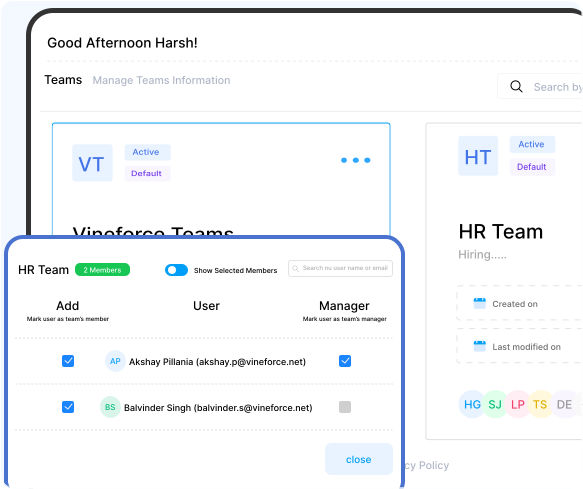
Teams Management is designed to bring clarity, structure, and control to your workforce without adding complexity.
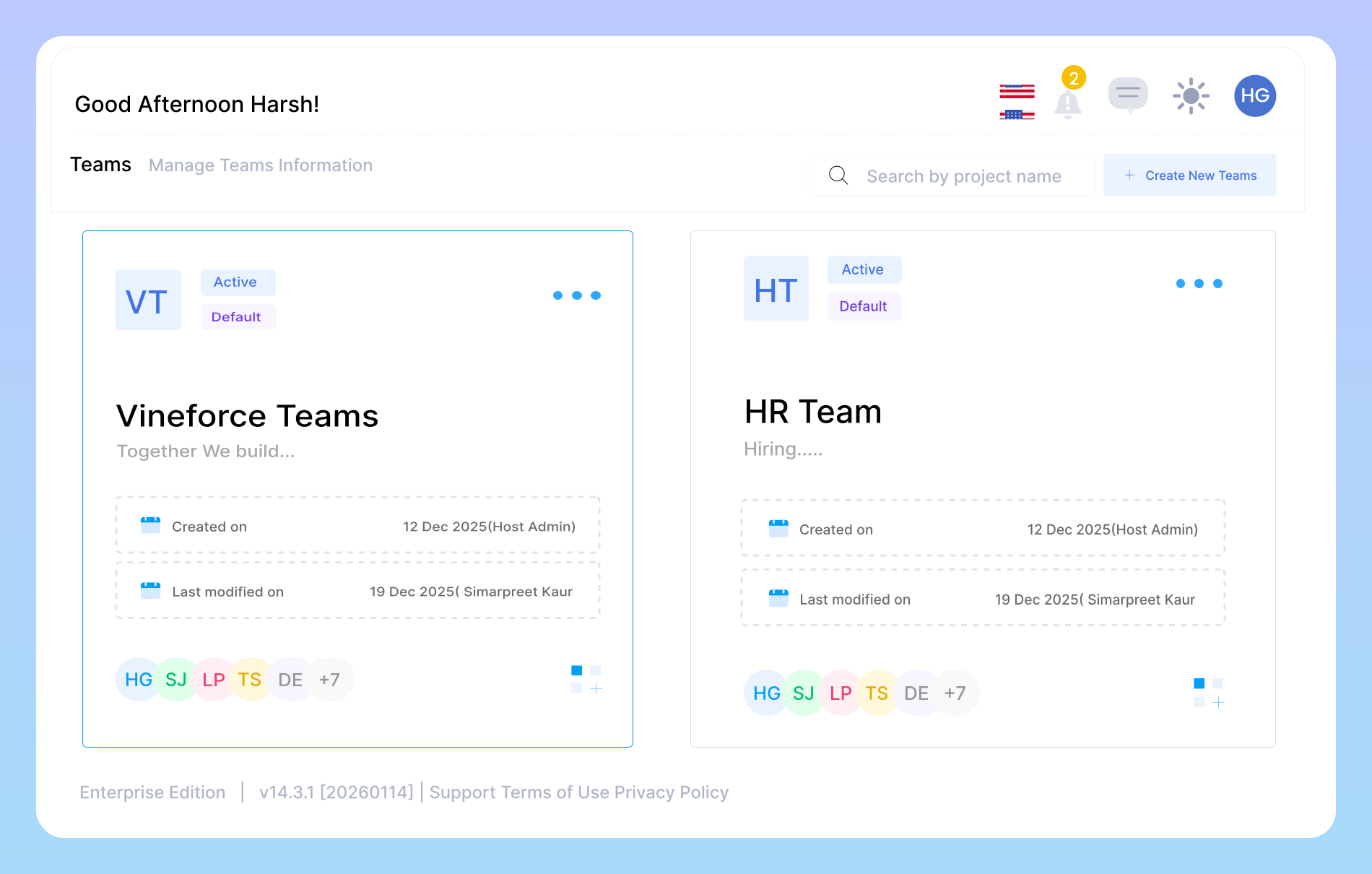
Simple & Centralized Team Creation
Build, manage, and organize teams effortlessly
Teams Management is designed to bring clarity, structure, and control to your workforce without adding complexity.
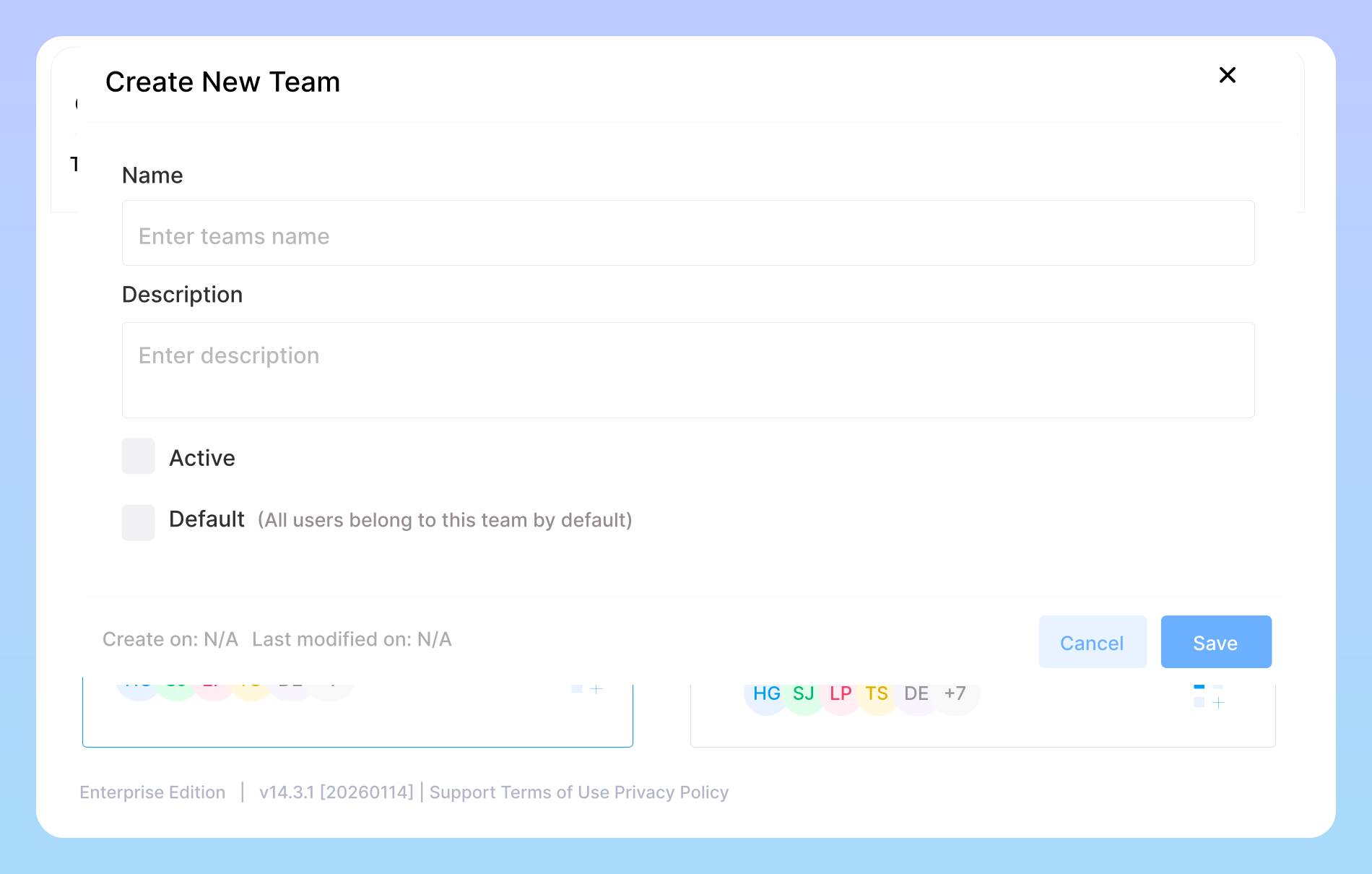
Create Teams That Match How You Work
Managers can instantly see who is part of each team. View team members at a glance, understand roles, and track participation across teams. This transparency helps managers make better decisions, balance workloads, and keep everyone aligned.
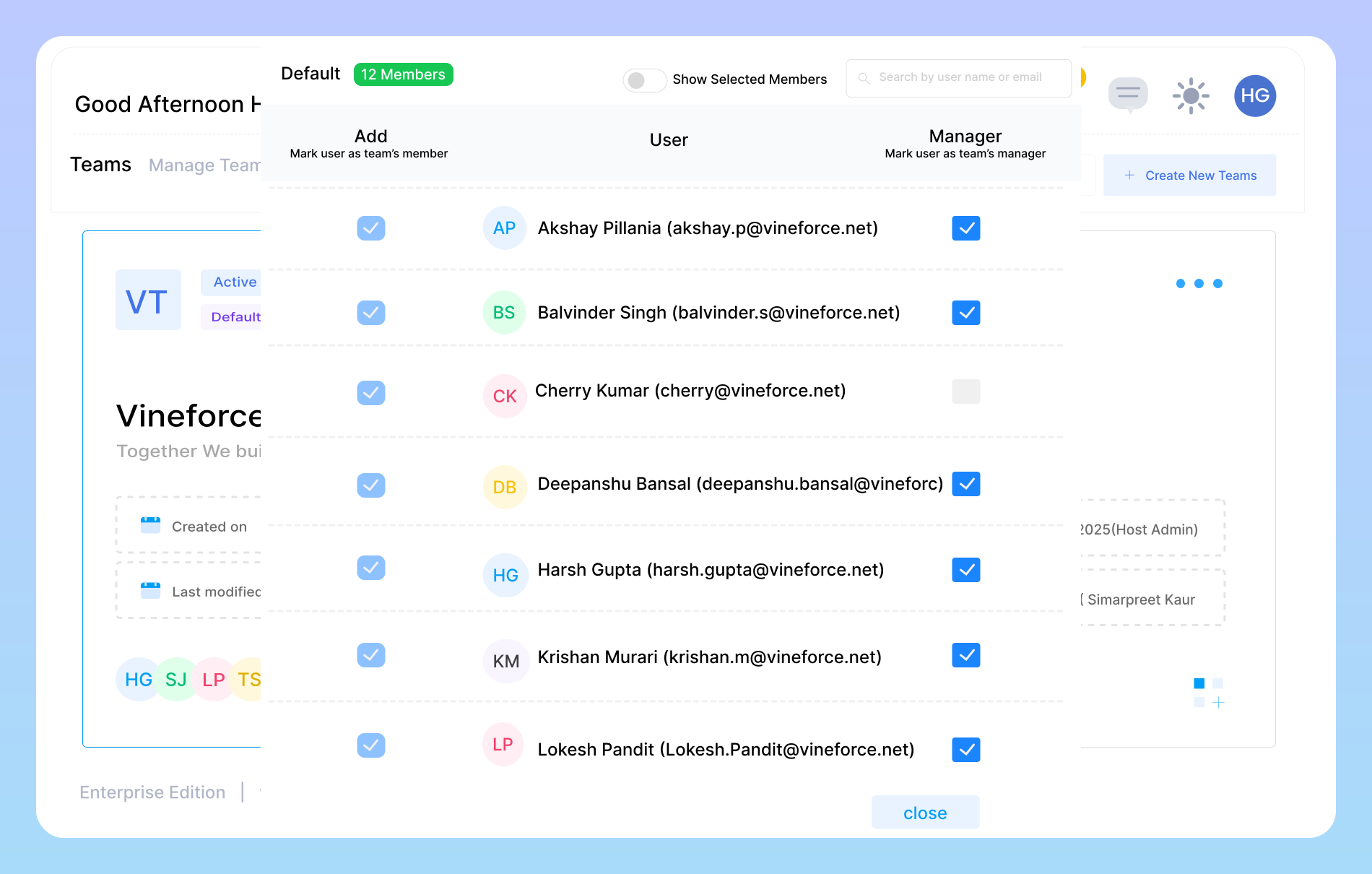
Role-Based Access for Better Control
Give the right access to the right people. Assign managers and team members with clearly defined roles. Managers can oversee teams, update members, and maintain structure, while employees stay focused on their assigned teams keeping everything secure and organized.
Organized Teams That Improve Productivity
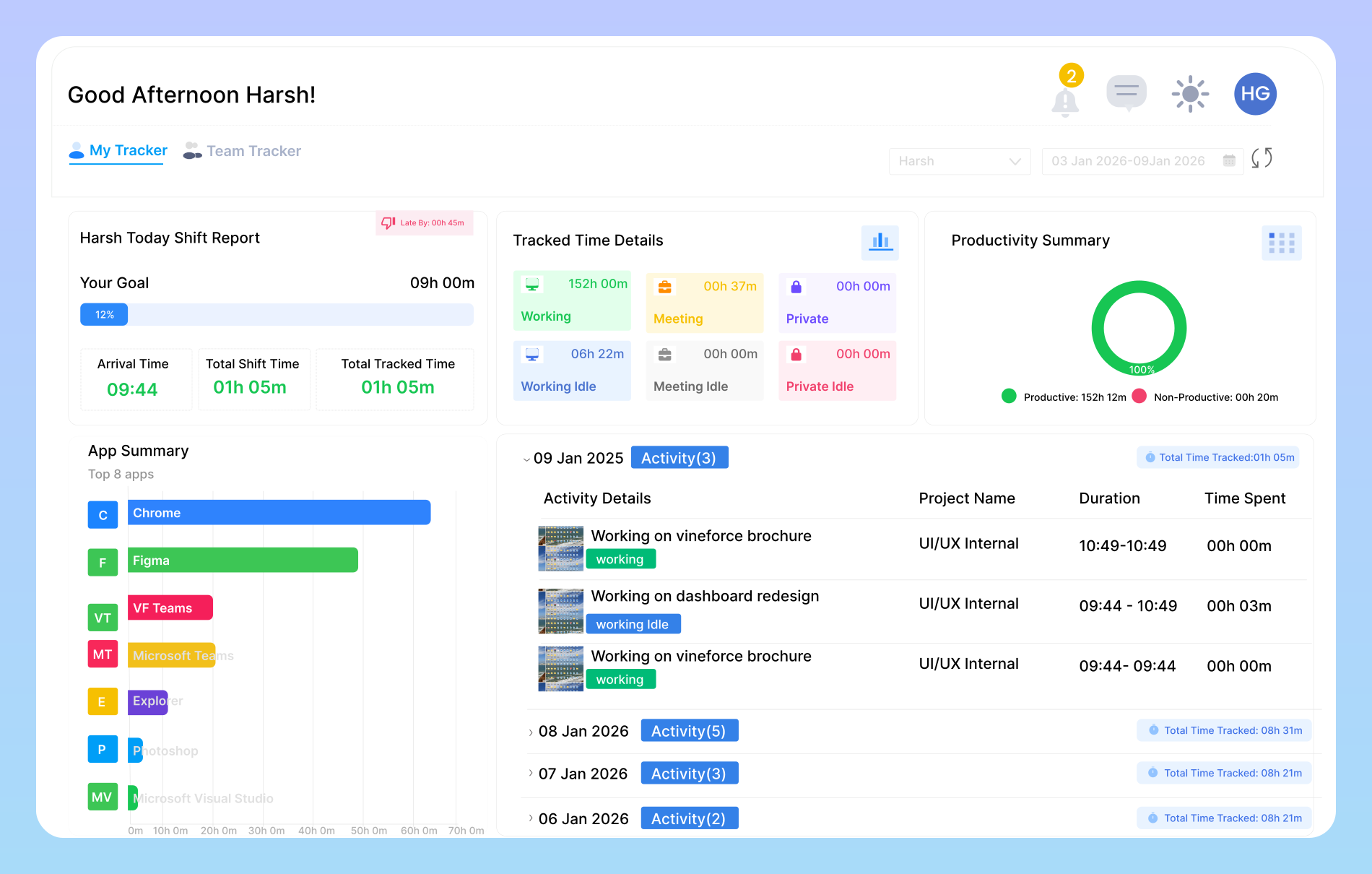
Clear teams lead to smoother collaboration. With structured teams in place, project tracking, time monitoring, and productivity insights become more accurate. Teams Management ensures work is tracked correctly and accountability stays clear across the organization
Why Use Teams Management
Teams Management helps bring structure and clarity to how your organization works. By organizing employees into well-defined teams, managers can easily understand responsibilities, track collaboration.

Eliminates Confusion
Clear team structure ensures everyone knows their role and responsibilities.

Improves Collaboration
Well-defined teams help employees work better together.

Saves Time
Quick team creation and easy member management reduce admin work.
Frequently Asked Questions
What is Teams Management in Vineforce Teams?
Teams Management in Vineforce Teams is a centralized system that helps you organize your workforce into structured teams. It allows you to create teams, add or remove members, assign roles, and manage team details from one simple dashboard. By clearly defining team structures, it ensures work is tracked accurately, collaboration is smoother, and managers always have visibility into who is working where.
Can managers view all team members?
Yes, managers can easily view all members within their assigned teams along with their roles and responsibilities. This visibility helps managers understand team capacity, balance workloads, and ensure tasks are assigned to the right people. With everything clearly displayed, managers can make faster and more informed decisions without switching between multiple tools.
Can I create multiple teams?
Yes, managers can easily view all members within their assigned teams along with their roles and responsibilities. This visibility helps managers understand team capacity, balance workloads, and ensure tasks are assigned to the right people. With everything clearly displayed, managers can make faster and more informed decisions without switching between multiple tools.
Is Teams Management secure?
Absolutely. Vineforce Teams allows you to create as many teams as you need based on your organization’s structure. You can organize teams by departments, projects, clients, or workflows, giving you complete flexibility as your business grows. Teams can be updated, activated, or deactivated anytime, making it easy to adapt to changing needs.
Ready to streamline your entire workflow?
Vineforce Teams makes it simple to monitor employee productivity with automated time tracking, smart idle detection, and detailed reporting. Build the perfect system to manage projects, ensure accountability, and get insights into your team’s workflow, all in one place.
