

Our Attentiveness Checker ensures employees are actively engaged without disrupting their workflow. It verifies real presence through quick, intelligent prompts that are easy to respond to Questions appear at different times to check real engagement. Small pop-ups that are fast to answer and disappear automatically. Works when the user is logged in and active, not when the device is locked.
User Attentiveness
The User Attentiveness Checker is a simple, smart tool that verifies whether remote employees are actively engaged. Instead of monitoring screens or tracking every mouse move, it uses a quick, friendly prompt to confirm presence.
Start Your Free Trial
Enjoy a 07-day free trial with no credit card required.
By creating an account, you accept our Terms and Privacy Policy.
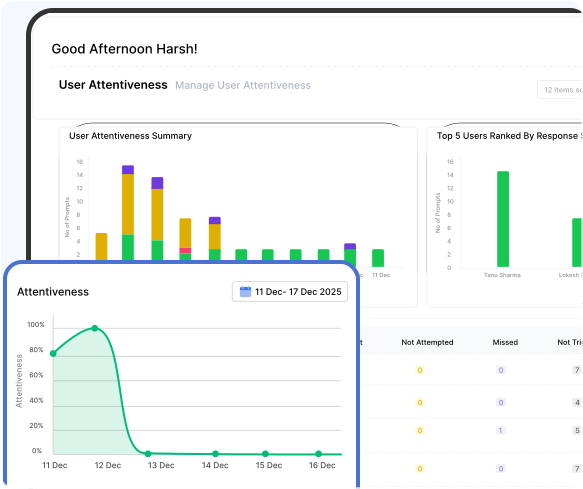







Smart Attentiveness for Better Focus
This summary shows how attentively a user responds to prompts while working, helping monitor engagement and focus throughout the day.
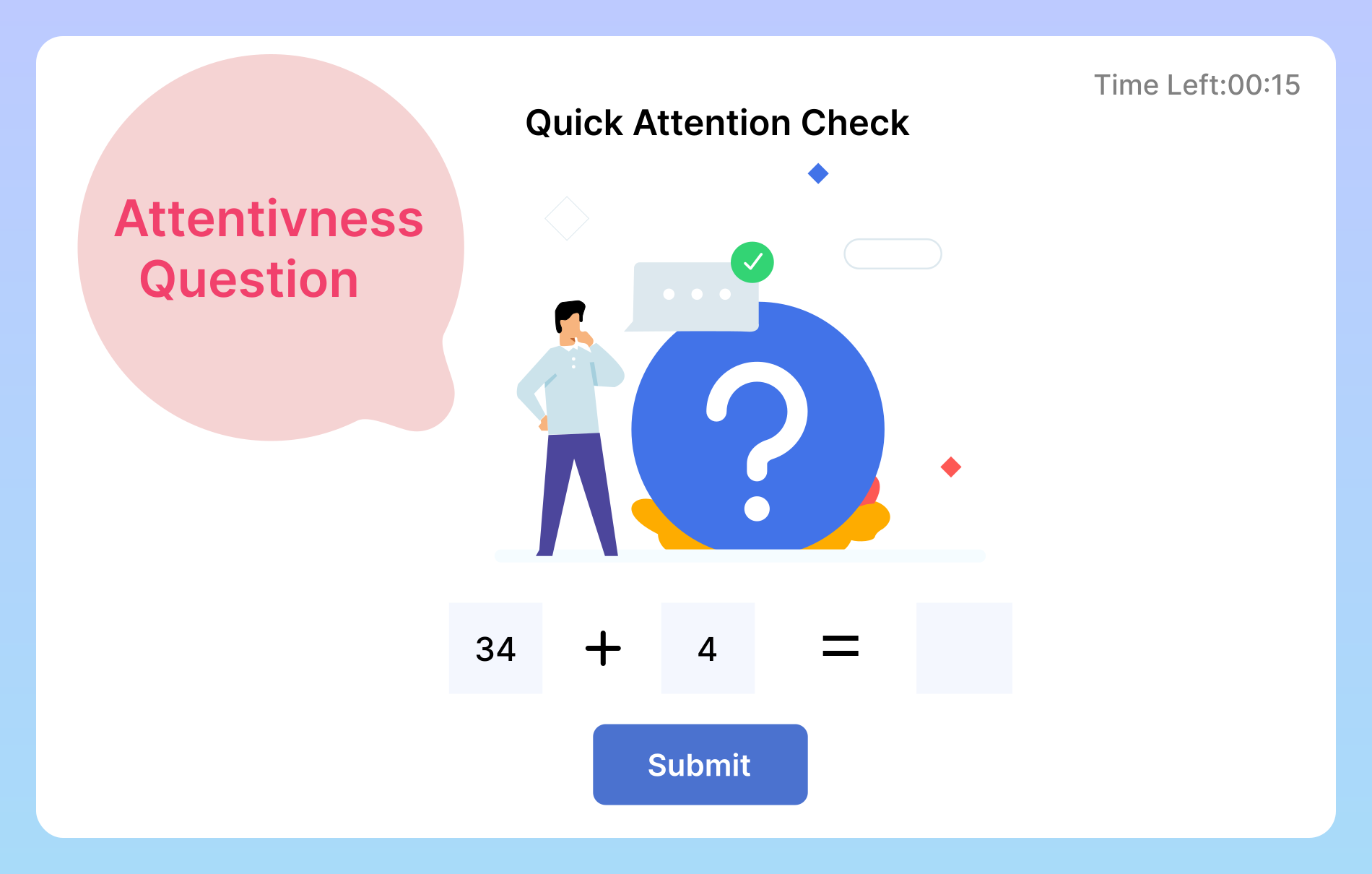
Smart & Non-Intrusive User Attentiveness
How Attentiveness Tracking Works
The Smart User Attentiveness Checker sends quick presence checks to users to make sure they are active. When a prompt appears, the user just needs to respond.
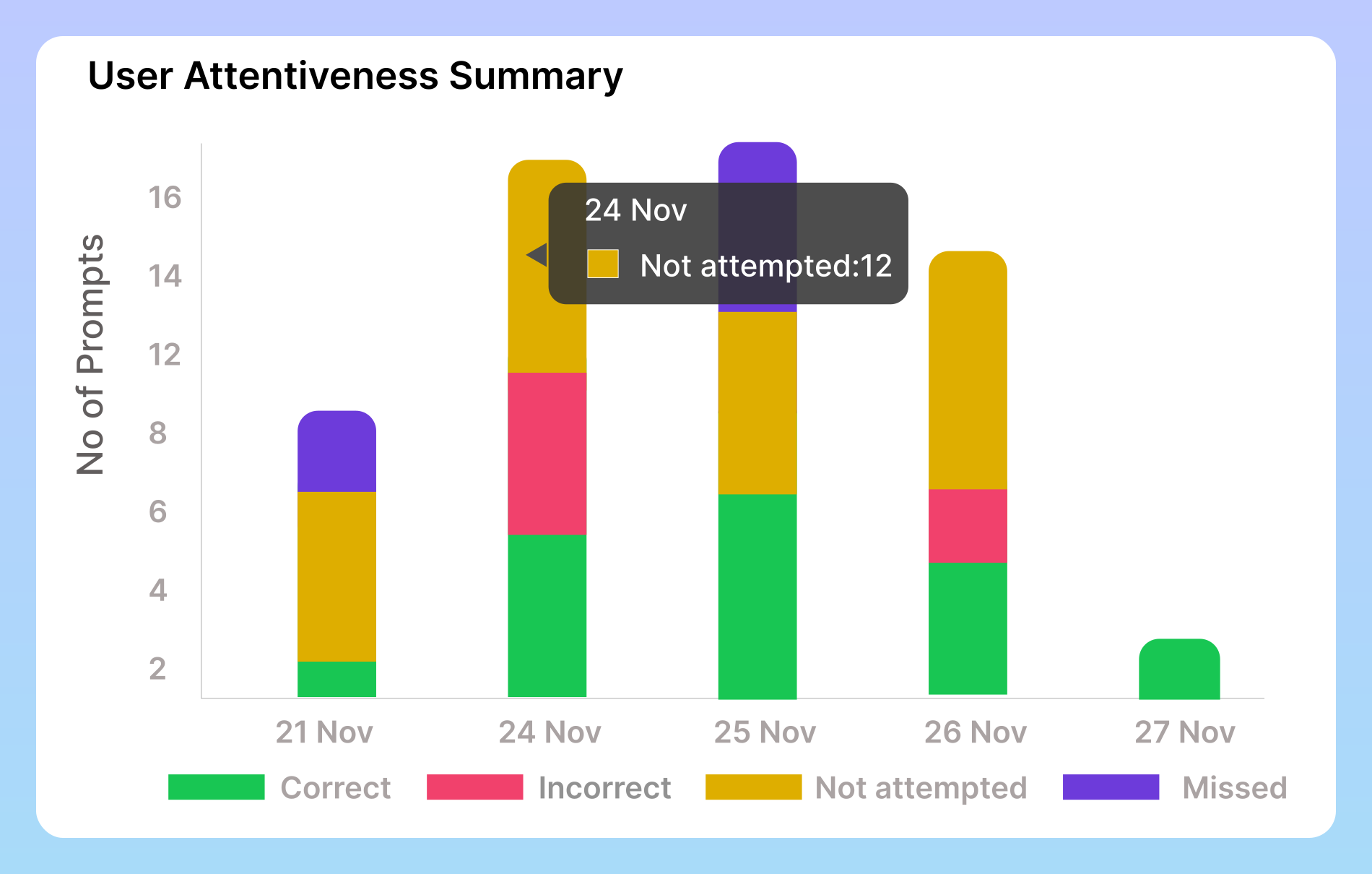
User Attentiveness Summary
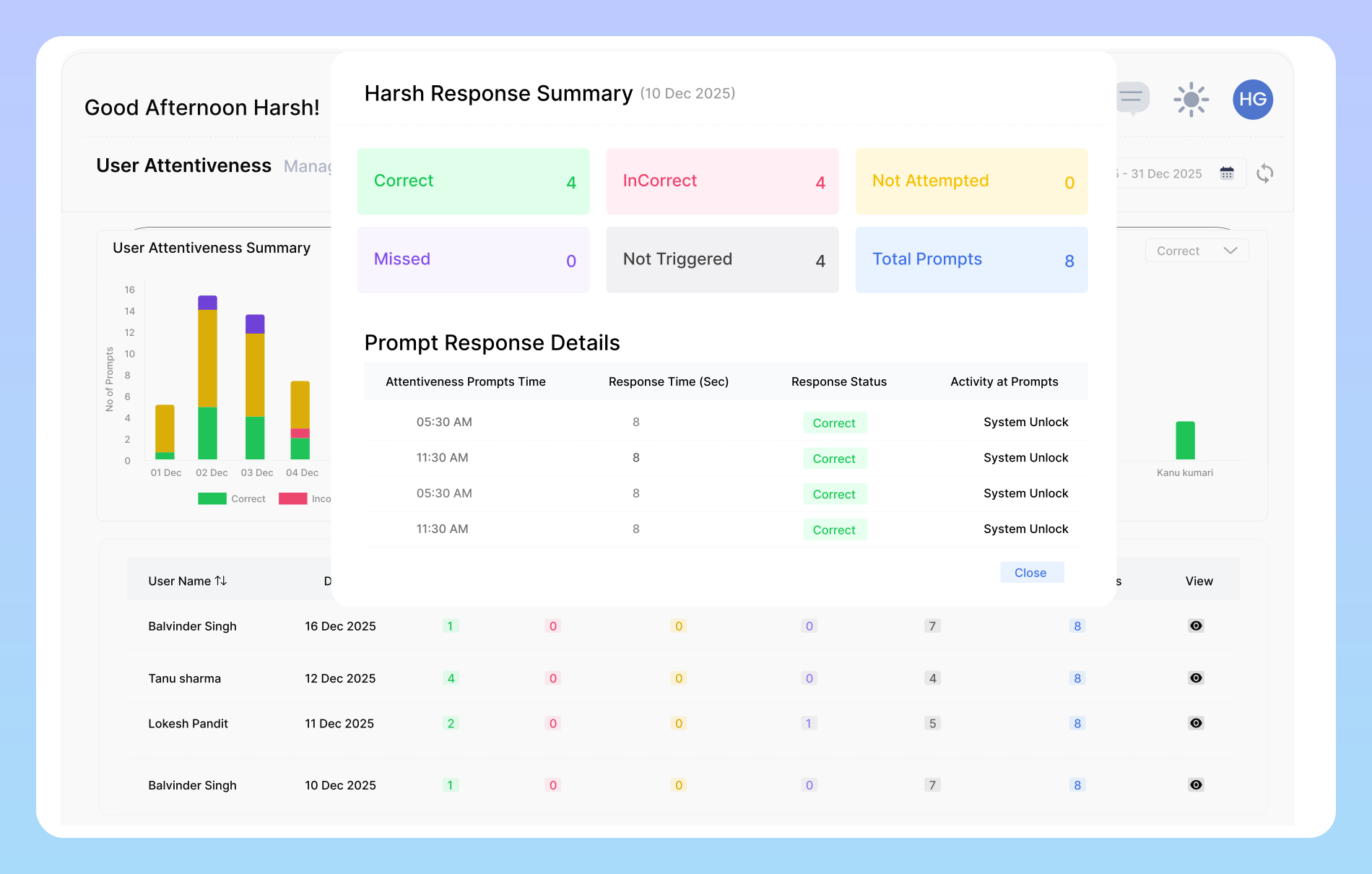
The User Attentiveness Summary chart provides a daily snapshot of how employees respond to attentiveness prompts. It clearly displays four types of outcomes Correct, when a user answers accurately Incorrect, when a response is given but is wrong Not Attempted, when the user does not respond even though the prompt appears and Missed, when the user is away or the prompt expires.
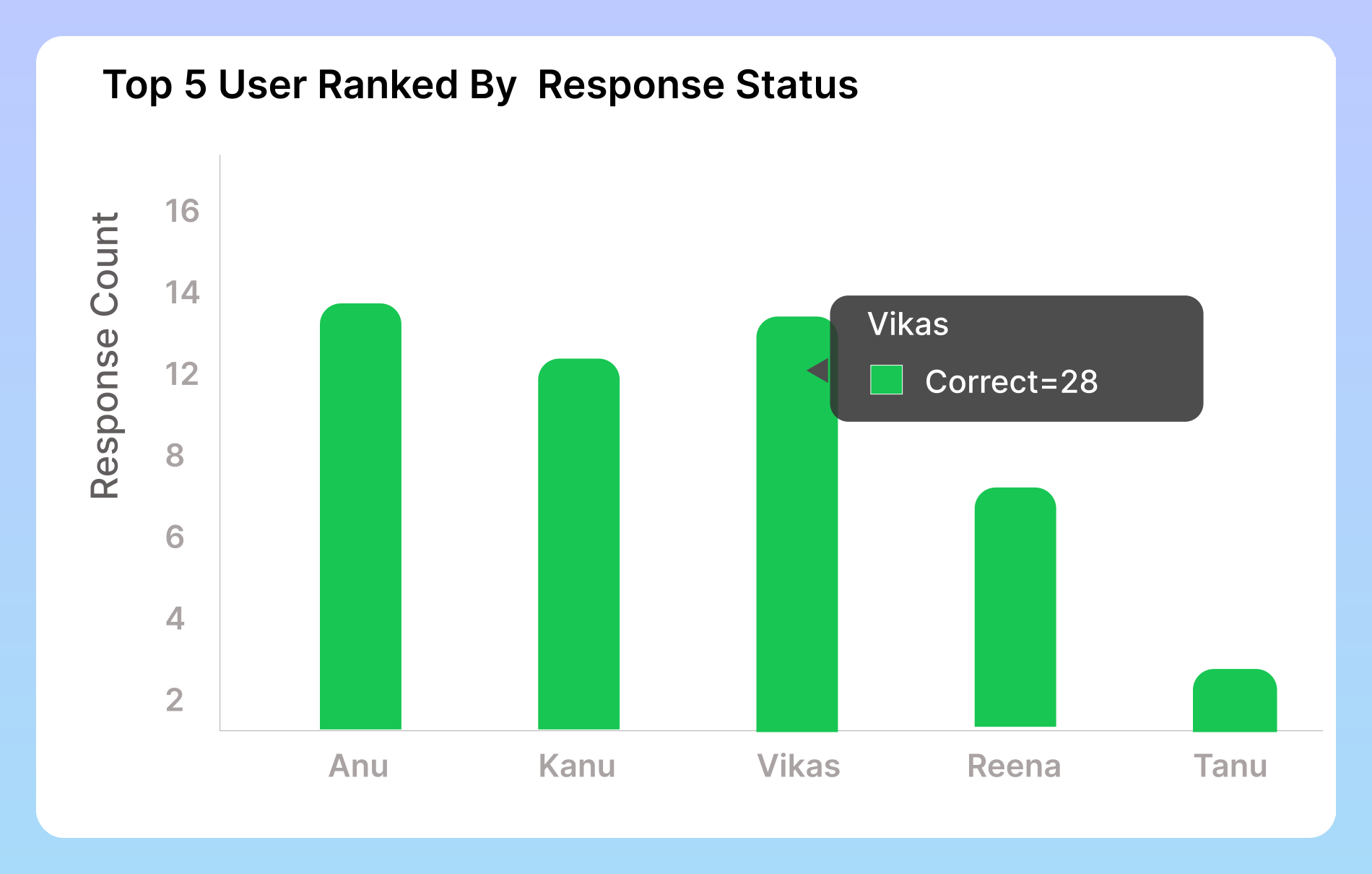
Users Ranked by Response Status
This section highlights your top performers by showcasing the users with the highest number of correct attentiveness responses. It helps you instantly identify who stayed the most alert, responded accurately, and maintained consistent engagement. By comparing each user’s performance, you gain a clear view of individual focus levels and can easily recognize your most active and attentive team members.
Detailed User Attentiveness Response
This table provides a detailed breakdown of user activity, organized by each user and each day. It displays the number of correct and incorrect responses, prompts that were not attempted, missed prompts, and those that were not triggered, along with the total number of prompts received. This gives a complete, easy-to-read overview of individual attentiveness and daily engagement. It also highlights missed prompts.
User Attentiveness Setting Information
This summary provides insights into a user’s responsiveness to prompts, enabling better monitoring of focus and engagement throughout the day.

Attentiveness Promt count
Set the number of attentiveness questions that will appear every hour. This helps ensure the user stays focused and actively engaged during their work session. You can increase or decrease the frequency based on how closely you want to monitor attentiveness.

Disappear Promt Time
Choose how long the attentiveness question should remain visible on the screen before it automatically disappears. This lets you control how much response time the user gets and ensures the prompt doesn’t stay on the screen longer than necessary.

Total shift Hours
Define the full number of hours a user is expected to work in a day. This value represents their complete daily shift duration and helps ensure accurate scheduling, time tracking, and productivity monitoring throughout the workday.
Frequently Asked Questions
How many prompts can appear in an hour?
You can customize the number of prompts per hour. The system will show them randomly within that timeframe to avoid predictability.
Can I change how long the popup stays visible?
Yes. You can set the duration for how long the question stays on the screen before it automatically disappears.
What is the User Attentiveness Checker?
The User Attentiveness Checker is a feature that shows quick questions at random times to ensure users are active, focused, and present during their work session.
What happens if a user misses multiple prompts?
Missed prompts may be logged as inactivity or low attentiveness. The impact depends on how the organization configures the system.
Is the data collected secure, and who has access to it?
Ready to streamline your entire workflow?
Vineforce Teams makes it simple to monitor employee productivity with automated time tracking, smart idle detection, and detailed reporting. Build the perfect system to manage projects, ensure accountability, and get insights into your team’s workflow, all in one place.
