

Screen monitoring alone isn’t enough. Vineforce Teams helps teams plan work, track progress, and meet deadlines by combining smart time tracking with task and project management all in one platform, without intrusive monitoring. Managers gain clear, actionable insights while teams stay organized, focused, and productive without feeling constantly monitored.
Better than Kickidler
Vineforce Teams is a smarter, more complete alternative to Kickidler, created for teams that care about real productivity not just activity tracking. It unifies time tracking, task management, project visibility, and team performance insights in one platform, giving a clear view of how work gets done without relying on screenshots.
Start Your Free Trial
Enjoy a 07-day free trial with no credit card required.
By creating an account, you accept our Terms and Privacy Policy.







The All-in-One Advantage
Why settle for a tool that only watches you work when you can have one that helps you finish it
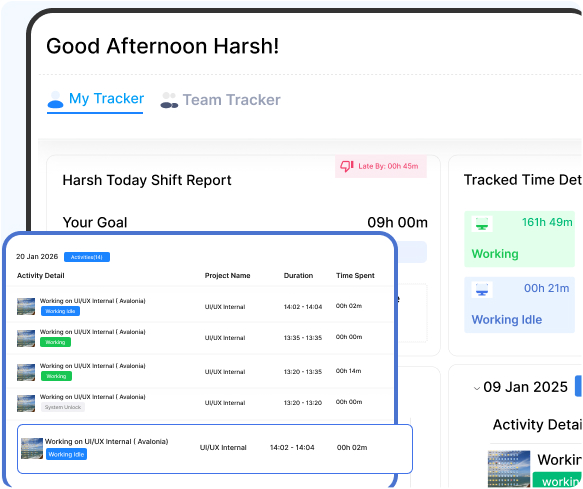
Helping Teams Finish Work
The Traditional Way
Most tracking tools are great at watching screens, but they often miss the bigger picture of how work actually gets done.
Only tracking time not progress
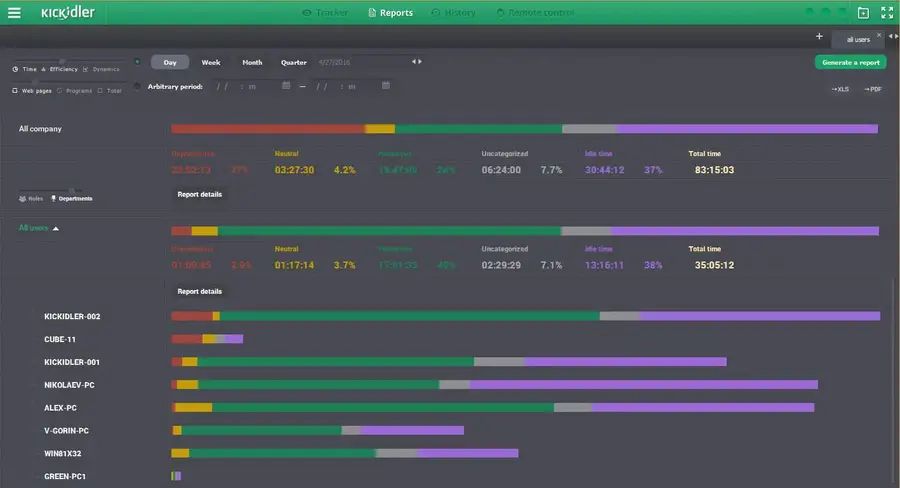
Tools like Kickidler Tracker focus mainly on screen monitoring and user activity logging. They show what appears on an employee’s screen and track application usage, but they stop there. Without built-in task planning, project tracking, or progress measurement, managers are left with screenshots instead of clarity.it offers limited support for task planning, project tracking, and progress measurement making it better suited for monitoring than managing work.
What is the Main Difference
Most tools just watch your team. Vineforce helps them win. See how we compare to the traditional tracking way.

Vineforce Teams is built for teams that want full visibility into work not just activity data.
- Focuses on tasks, projects, and real work outcomes.
- Balanced, people-first productivity tracking.
- Tracks time, tasks, and project progress together.
- Smart reports showing progress, efficiency, and performance.
- Built-in attendance and work-hour tracking.
- Automatic overtime tracking and insights.
- Clear team and department-level insights.
- Ideal for growing teams focused on productivity and accountability.

Kickidler focuses on screen-based activity tracking.
- Focuses mainly on live screen recording and keystroke monitoring.
- Heavy surveillance-based employee monitoring.
- Tracks websites and application usage only.
- Activity-based productivity reports.
- No attendance or work-hour management.
- Does not support overtime insights.
- Limited visibility across teams.
- Suitable for basic screen monitoring needs.
What Makes Vineforce Teams Better
While many tools focus only on monitoring activity, Vineforce Teams is built to help teams manage work improve productivity and stay organized every day not just analyze behavior.

Smart Time Tracking
Vineforce Teams tracks working time accurately with zero click tracking and offline support. It captures real effort without interrupting employees and helps teams understand where time is actually spent.

App and Website Activity Insights
See which apps and websites are used during work hours to understand focus patterns. These insights help teams reduce wasted time and improve daily work habits.

Attendance and Shift Tracking
Manage work hours shifts and attendance effortlessly. Vineforce Teams helps teams stay aligned with schedules while simplifying reporting and planning.
Frequently Asked Questions
How is Vineforce Teams different from Kickidler Tracker?
Vineforce Teams focuses on managing work through tasks, projects, and productivity insights, while Kickidler Tracker mainly focuses on screen monitoring and activity logging.
Does Vineforce Teams record employee screens like Kickidler?
Vineforce Teams prioritizes productivity and workflow management over constant screen recording, helping teams stay focused without intrusive monitoring.
Can Vineforce Teams track tasks and project progress?
Yes. Vineforce Teams includes built-in task and project management, allowing teams to plan work, track progress, and meet deadlines in one place.
Does Kickidler offer task and project management features?
Kickidler is primarily designed for activity and screen monitoring and offers limited support for task planning and project-level tracking.
Which tool is better for teams focused on productivity, not surveillance?
Vineforce Teams is the better choice for teams that want to improve productivity, transparency, and outcomes rather than relying only on screen monitoring.
Ready to streamline your entire workflow?
Vineforce Teams makes it simple to monitor employee productivity with automated time tracking, smart idle detection, and detailed reporting. Build the perfect system to manage projects, ensure accountability, and get insights into your team’s workflow, all in one place.
